
[ Support ]
Service Ticket
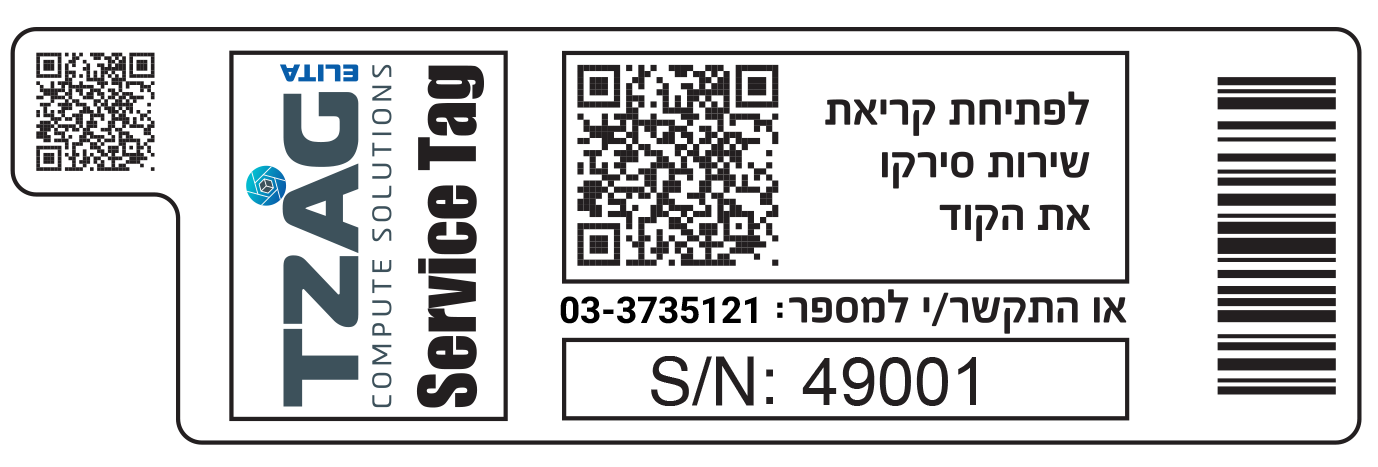
Service calls for servers are exclusively available for customers who hold the sticker as shown in the photo below.
Open a service ticket in 3 easy steps
- Locate the sticker on the server
- Scan the sticker in order to receive your serial number automatically inside the form
- Fill the rest of the form
Check your warranty in 1 step
Open ticket anyway01 / Service tag sticker
Find it on your service tag sticker.
02 / BMC (IPMI)
Open the BMC interface and log in. Go to menu FRU → Asset_Tag.
03 / Command line
Run sudo ipmitool fru and read Product Asset Tag. If ipmitool is not installed, use sudo apt install ipmitool.
For any further questions please contact your account manager. In order to open a fault, please call 03-3735121. Terms of Service